
Pak Game Pakistan – Find the Right Way to Access Your Account
Accessing an online gaming account should be a straightforward process, but new users sometimes face confusion when looking for the correct login page, application, or account recovery option. A familiar platform name may appear across several websites and mobile applications, making it difficult to identify which service is genuine.
For people searching for Pak Game Pakistan, understanding the correct way to access an account is an important first step. Before entering personal information, users should identify the exact application or website, confirm its publisher, and understand how its sign-in process works.
1. Understand the Account You Want to Access
Before attempting to log in, identify the exact service associated with your account.
The name Pak Game may appear in different applications, websites, and promotional pages. These products may have separate developers, account systems, and login requirements.
A person searching for pak game login may encounter several results that look similar. However, a similar logo or website title does not prove that the pages belong to the same provider.
Start by checking:
- The application or website name.
- The developer or publisher.
- The official description.
- The website domain.
- Available support information.
- The privacy policy and terms of use.
If you previously registered through a particular application, return to that same verified application or service whenever possible.
Do not enter your credentials into a different website simply because it uses similar branding.
2. Prepare Before Opening the Login Page
A little preparation can prevent common login problems.
Before accessing your account, make sure that your device is ready and that you have the correct account information.
Check Your Internet Connection
An unstable connection can prevent a login request from completing. Use a reliable network and wait for the connection to stabilize before trying again.
Update Your Application
If you use a mobile application, check whether an update is available through its verified distribution source. Older versions may contain bugs or compatibility problems.
Keep Your Device Secure
Use a screen lock and keep your operating system updated. Avoid signing in through unfamiliar devices, especially those shared with other people.
Locate Your Registered Details
Depending on the service, you may need an email address, mobile number, username, or another registered identifier.
Make sure you know which information was originally associated with your account.
3. Find the Correct Pak Game Login Option
The login option is usually displayed on the home screen or account section of an application or website.
However, the exact position and wording can vary between services.
A login page may use labels such as:
- Log In
- Sign In
- Account Access
- Member Login
- Existing User
Select the appropriate option only after verifying that you are using the correct application or website.
Check the Website Address
If you are accessing an online service through a browser, inspect the domain carefully.
Look for spelling mistakes, unusual extensions, unexpected redirects, and unfamiliar subdomains. A secure connection symbol does not independently prove that a website is genuine.
When possible, open the service through a previously verified bookmark or the developer’s confirmed distribution channel.
Avoid Random Login Links
Search engines, social media posts, and messaging groups may display links that imitate legitimate login pages.
Do not enter your password until you have independently confirmed the destination.
4. Understanding the Pakgame Login Process
The pakgame login process depends on the individual service.
Some platforms use a registered email address, while others may accept a mobile number or username. Additional verification may also be required.
A general account-access process looks like this:
- Open the verified application or website.
- Locate the existing-user login option.
- Enter your registered account identifier.
- Type your password carefully.
- Complete any legitimate verification step.
- Submit the login request.
- Wait for the account page to load.
These are general steps, not a confirmed login sequence for every Pak Game product.
If the application provides specific instructions, follow those instructions rather than relying on an unrelated tutorial.
5. What to Know About Pakgame Log In Searches
The phrase pakgame log in is another way users may search for account access.
Different spelling variations do not necessarily indicate different login systems. They may simply reflect how people search for the same general task.
If you are trying to access an existing account, remember these principles:
- Use the application through which you originally registered.
- Confirm the developer or website identity.
- Avoid unknown login pages.
- Never share your password.
- Do not install extra software without verifying its source.
- Use the official recovery process if you cannot sign in.
The correct access method should be based on the actual service you registered with, not on the first search result.
6. Keep Your Pakgame Login Password Secure
Your password is one of the most important parts of account protection.
The search term pakgame login password commonly reflects users’ interest in password access, recovery, or security. Whatever the specific platform, the same basic security principles apply.
A strong password should be unique and difficult to guess.
Create a Strong Password
Consider these recommendations:
- Use a sufficiently long password.
- Combine different character types where supported.
- Avoid your name and date of birth.
- Do not use predictable number sequences.
- Never reuse an important email or banking password.
- Store the password in a trusted password manager.
A unique password reduces the damage that can occur if another website experiences a data breach.
Never Share Your Password
Do not send your password through WhatsApp, social media, email, or public comments.
Someone claiming to be a support representative should not need your secret login credentials to provide basic assistance.
Be Careful With Saved Passwords
Saving a password can make account access more convenient, but only do so on a personal device that is protected by a strong screen lock.
Avoid saving credentials on shared phones or public computers.
7. Understand Account Verification
Some services use verification steps to confirm that a person is authorized to access an account.
Depending on the provider, verification may involve an email message, temporary code, or another authentication method.
If you receive a verification request, make sure that it relates to an action you initiated.
Protect One-Time Codes
Temporary verification codes should remain private. Never share them with someone who contacts you unexpectedly.
A scammer may claim that a code is required to activate, verify, or recover your account. Sharing it can allow another person to gain access.
Check Delayed Messages
If a verification email or text message does not arrive, check:
- Your internet connection.
- Your registered contact details.
- Your spam or junk folder.
- Whether the service has a temporary delay.
- Whether your device can receive messages.
Avoid requesting many codes repeatedly within a short period.
8. Accessing Your Account Through a Mobile App
Some users prefer accessing their accounts through a mobile application rather than a browser.
The phrase pak game app may refer to different products, so verify the exact application before installing or opening it.
If you already have a verified application installed, use its normal account section.
Before signing in, check that:
- The app name matches the intended service.
- The developer information is consistent.
- The application is updated.
- The device is compatible.
- The login screen does not contain suspicious redirects.
- The app is requesting only reasonable permissions.
Do not assume that every application using the Pak Game name supports the same account credentials.

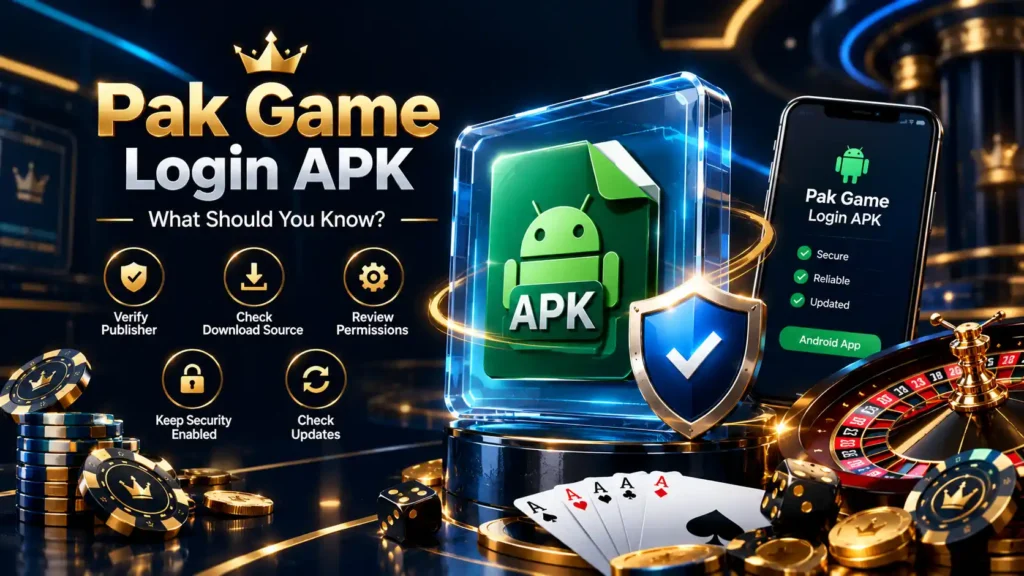
9. Understanding Pak Game APK and Login Downloads
Some users search for pak game APK because they want an Android installation file.
An APK is a package format used to install applications on Android devices. It is not a special account-access system.
The phrase pakgame login download may refer to an attempt to find an application that provides direct account access. However, this search phrase does not confirm that a separate login download exists.
Verify the APK Source
Before installing an APK, confirm that the file comes from a trustworthy source associated with the identified developer.
Avoid files that:
- Are hosted on anonymous websites.
- Promise guaranteed rewards.
- Claim to unlock accounts automatically.
- Require unnecessary permissions.
- Ask users to disable security features.
- Contain unexplained modifications.
Do Not Install Duplicate Login Apps
An unknown application claiming to provide special login access may be designed to collect credentials.
Use the verified application or website associated with your original account.
Remember that APK files are intended for Android. They cannot be installed directly on iOS devices.
10. What If You Forget Your Password?
Forgetting a password is a common account problem. It does not mean that you need to create a new account immediately.
If the verified service provides a password recovery option, use that feature.
A general recovery process may involve:
- Opening the genuine login page.
- Selecting the password recovery option.
- Entering the registered email address or phone number.
- Completing the required verification.
- Following the recovery instructions.
- Creating a new, unique password.
- Checking that you can access the account securely.
The exact procedure varies between providers.
Do Not Trust Unofficial Recovery Services
Avoid individuals who promise instant account recovery in exchange for payment or your password.
An unknown person cannot be trusted simply because they claim to have access to a special recovery method.
Use only the support and recovery options published by the verified developer.
11. Troubleshooting Common Login Problems
Login difficulties can happen even when an account is genuine and the user enters the correct information.
Understanding the possible causes makes troubleshooting easier.
Incorrect Password Message
Check for typing errors, accidental spaces, and incorrect capitalization.
If the password still does not work, use the verified recovery option rather than repeatedly guessing.
Incorrect Username or Email
Make sure you are entering the same identifier used during registration.
If you have several email addresses or phone numbers, check which one belongs to the account.
Verification Code Not Received
Confirm that your registered contact information is correct. Check spam folders and network availability.
Wait before requesting another code.
Login Page Does Not Load
Try refreshing the page, checking your internet connection, or opening the verified application again.
A temporary service interruption may also be responsible.
Application Closes Unexpectedly
Restart your device and check for an application update. If the problem continues, review the developer’s troubleshooting information.
Account Temporarily Restricted
Some services apply temporary security restrictions after unusual activity or repeated unsuccessful attempts.
Follow the instructions shown by the verified provider. Do not try to bypass account-security measures through unofficial tools.
12. Recognize Fake Login Pages
Phishing is one of the most serious risks associated with online account access.
A fake login page may imitate the design of a genuine application to collect usernames, passwords, and verification codes.
These pages can appear in search results, advertisements, messages, or community groups.
Warning Signs
Be careful if a page:
- Uses a misspelled domain.
- Redirects repeatedly.
- Promises guaranteed rewards after login.
- Requests unnecessary personal information.
- Displays unusual security warnings.
- Demands a verification code without a clear reason.
- Claims that your account will be deleted immediately unless you sign in.
How to Stay Safe
Do not follow unfamiliar login links sent by strangers.
Open the application independently or use a verified bookmark. If you are unsure about a page, stop before entering your credentials.
A professional-looking design is not proof of authenticity.
13. Using Your Account on a Shared Device
Sometimes users need to access an account from a device that belongs to another person.
This can create additional security risks.
If you must use a shared device:
- Confirm that the device is trustworthy.
- Avoid saving your password.
- Do not select automatic sign-in.
- Never allow another person to view your verification code.
- Log out when finished.
- Close the browser or application.
- Check whether your credentials were saved.
Avoid accessing sensitive accounts through public computers whenever possible.
A personal device with updated security settings is generally a better choice.
14. Protect Your Account From Suspicious Activity
Account protection should continue after a successful login.
If the application provides account-security settings, review them periodically.
Look for options that may allow you to update your password, review active sessions, or manage connected devices.
Be alert to unusual activity such as:
- Unexpected password-reset messages.
- Login notifications you do not recognize.
- Changes to profile information.
- Unfamiliar devices.
- Unexpected account restrictions.
If you suspect unauthorized access, change your password through the verified service and contact its genuine support channel.
If you reused the same password elsewhere, update those accounts as well.
15. Understanding Account Registration and Login Differences
Registration and login are two different processes.
Registration creates a new account. Login provides access to an account that already exists.
New users sometimes confuse these options and attempt to register again when they actually need to recover an existing account.
Before choosing an option, consider your situation.
If you have never created an account: Look for the verified registration process, if the service requires one.
If you already registered: Use the existing-account login option.
If you cannot remember your password: Use the recovery process.
If your account details are incorrect: Follow the provider’s published account-update procedure.
Avoid creating multiple accounts unless the service’s rules clearly allow it.
16. Privacy Considerations During Account Access
Account access often involves personal information. Users should understand how that information is collected and handled.
Read the application’s privacy policy before submitting sensitive details.
Check whether the provider explains:
- What information is collected.
- Why information is needed.
- Whether data is shared with third parties.
- How long information is retained.
- What security practices are described.
- How account closure or deletion works.
Do not provide identity documents, financial details, or additional personal information unless there is a clear and verified reason.
If a login page requests information that appears unrelated to account access, stop and investigate.
17. Responsible Use After Logging In
Successfully accessing an account does not mean that every available feature is suitable for every user.
Read the rules and understand what each activity involves.
Some applications provide ordinary entertainment, while others may include paid participation or chance-based games.
If financial participation is involved, consider the risks carefully. Never assume that a particular result, prediction, or strategy guarantees success.
Set personal limits and avoid using money required for essential expenses.
Follow the age requirements and laws that apply in your location. If gaming begins to affect your daily responsibilities or finances, take a break.
18. A Simple Account Access Checklist
Before signing in, review the following checklist.
| Security Step | What to Do |
|---|---|
| Verify the service | Confirm the exact application or website |
| Check the developer | Identify the publisher |
| Review the URL | Avoid unfamiliar or misspelled domains |
| Prepare credentials | Use the correct registered identifier |
| Protect passwords | Keep login details private |
| Verify messages | Use only legitimate verification requests |
| Update software | Install updates from trusted sources |
| Avoid unknown APKs | Do not install suspicious login packages |
| Use recovery tools | Follow the verified password-reset process |
| Log out safely | End sessions on shared devices |
These habits can help reduce common account-access risks.
19. Frequently Asked Questions
How can I access my Pak Game account?
First identify the exact service you registered with. Open its verified application or website and use the existing-account login option.
What is Pakgame login?
Pakgame login is a search phrase used by people looking for account access to a service using the PakGame name. The exact login process depends on the individual provider.

What should I do if I forget my login password?
Use the password recovery option provided by the verified service. Do not share your existing password or verification code with anyone.
Is a separate Pak Game login APK necessary?
Not necessarily. A login APK should not be assumed to exist simply because people search for one. Use the verified application or website associated with your account.
Why is my login page not opening?
Possible causes include an unstable internet connection, an outdated application, browser problems, or temporary technical maintenance.
Can I access my account from another phone?
That depends on the provider’s account rules. If access from another device is allowed, use a trusted device and avoid saving your credentials on shared phones.
How can I identify a fake login website?
Check the domain, publisher information, privacy policy, and consistency of the page. Avoid unfamiliar links and suspicious requests for sensitive information.
Should I share a verification code with support?
No. Keep temporary verification codes private. Use the service’s genuine support process without revealing secret authentication information.
What if I notice an unfamiliar login?
Change your password through the verified service, review available account-security options, and contact the developer.
Are all Pak Game login pages connected?
No. Similar names do not prove that different applications or websites share an operator or account system.
20. Final Thoughts
Finding the right way to access a Pak Game-related account begins with identifying the exact service. Similar names, application icons, and promotional pages can create confusion, so verifying the publisher and website should always come before entering personal details.
Once you have confirmed the correct application or website, prepare your registered information, follow the service’s login instructions, and protect your password. If access fails, use the verified recovery process rather than trusting strangers or installing unknown software.
Security should remain a priority throughout the account experience. Avoid suspicious login links, keep verification codes private, update your device, and review account activity whenever security options are available.
Most importantly, remember that safe account access is about more than convenience. It is about protecting your personal information and making informed decisions when using online services.
Take a moment to verify the service before signing in. That simple habit can help you avoid unnecessary problems and maintain better control over your digital account.